Alright, let’s talk about that moment of kitchen heartbreak. You’ve prepped your beautiful cuts of meat, your vibrant garden vegetables, or a big batch of chili for the freezer. You grab your trusty vacuum sealer, press the button, and… nothing. Or worse, you get a weak, wheezing sound that leaves your food bag sadly un-sealed. I’ve been there, and the frustration is real. But before you think about tossing it out, let’s go through a proper Step By Step Troubleshooting Vacuum Sealer guide. Most of the time, the fix is surprisingly simple, and I’m here to walk you through it, just like a friend in your kitchen.
The good news is that these machines are generally workhorses, but they do need a little TLC. Think of it less as a breakdown and more as your sealer trying to tell you something is slightly off. From a misplaced bag to a dirty gasket, we can diagnose the issue together. For a deeper dive into long-term care, understanding how to store vacuum sealer safely is a great starting point for preventing future problems.
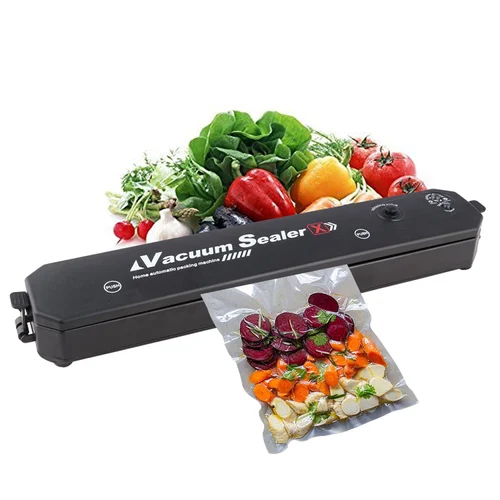
First Things First: The 5-Minute Pre-Check
Before we get into the nitty-gritty, let’s cover the most common culprits. Honestly, these quick checks solve the vast majority of vacuum sealer woes. Don’t skip these, even if they seem obvious!
- Is it plugged in and turned on? I know, I know. But you’d be surprised. Check that the cord is firmly in the outlet and the machine.
- Is the bag positioned correctly? The open end of the bag must be placed entirely inside the vacuum channel or drip tray. If it’s even a millimeter off, you won’t get a proper vacuum.
- Is the lid fully latched? Most sealers require an audible “click” on both sides to signal they are locked and ready. If the lid isn’t creating a tight chamber, the pump can’t do its job.
- Are the gaskets clean? The foam or rubber gaskets are the unsung heroes of your machine. Wipe them down with a damp cloth. Any food particle, grease, or moisture can break the seal.
The Core Step by Step Troubleshooting Vacuum Sealer Process
If the quick checks didn’t solve it, it’s time to play detective. We’ll diagnose the problem based on the specific symptoms your machine is showing.
Problem 1: My Vacuum Sealer Won’t Turn On at All
When there are no lights and no sound, it’s almost always a power issue.
- Check the Outlet: Unplug the sealer and plug in another small appliance you know works, like a phone charger or a lamp. If that doesn’t work, you’ve likely got a tripped circuit breaker.
- Inspect the Power Cord: Check the full length of the cord for any visible damage, kinks, or cuts. Make sure it’s securely connected to the back of the machine itself if it’s a detachable cord.
- Look for an Internal Fuse: Some older or heavy-duty models have a small, user-replaceable fuse. Check your user manual to see if your model has one and how to access it.
Problem 2: The Machine Makes Noise but Has Weak or No Suction
This is the most common complaint and usually points to an air leak somewhere in the system. The pump is working, but it can’t create a vacuum because air is getting in from somewhere else.
- Re-examine the Gaskets: This is the number one cause. Carefully remove the top and bottom gaskets (if they are removable on your model). Inspect them for any cracks, warping, or food debris stuck in them. Clean them thoroughly with a damp cloth and let them dry completely before putting them back. Ensure they are seated perfectly in their grooves.
- Check Your Bag for Wrinkles: Smooth out the bag before you close the lid. Any small wrinkle or crease in the plastic where the seal will be can create a tiny channel for air to leak in, preventing a full vacuum.
- Don’t Overfill: If the bag is too full, it can be difficult for the lid to close properly and for the bag to lie flat in the vacuum channel. Leave at least 3-4 inches of space at the top.
- Manage Moisture: Is there liquid in the bag? Even a small amount of moisture pulled into the vacuum channel can prevent a good seal and affect suction. Try pre-freezing moist foods (like soups or marinated meats) for an hour before sealing.
Expert Tip from Chef Maria Sanchez: “I always fold a paper towel and place it inside the bag, just below where the seal will be, when sealing very juicy items like steaks. It acts as a barrier, catching excess moisture before it reaches the vacuum channel. It’s a simple trick that saves a lot of troubleshooting headaches.”
Problem 3: The Bag Vacuums Perfectly but Fails to Seal
This is frustrating because you’re so close! The vacuum part works, but the final step fails, leaving you with a bag that will just reinflate. This points directly to the sealing mechanism.
- Inspect the Sealing Strip: This is the thin, often Teflon-coated wire that heats up to melt the bag shut. Let the machine cool completely, then run your finger over it.
- Is it dirty? Small bits of melted plastic or food residue can create an uneven seal. Clean it gently with a soft, dry cloth.
- Is the Teflon tape worn? If the tape over the heating element is torn, peeling, or worn through, it won’t distribute heat evenly. You can often buy replacement Teflon tape strips online specifically for your model.
- Check for Moisture in the Seal Area: This is a big one. If any liquid was pulled up during the vacuum process and is sitting right where the bag needs to melt together, you’ll get a weak or incomplete seal. Wipe the inside of the bag dry before attempting to seal.
Problem 4: The Bag Melts Through or Gets a Wavy, Incomplete Seal
This is the opposite of the previous problem—the heat is too intense or unevenly applied.
- Clean that Sealing Strip (Again!): A buildup of old plastic on the heating element can create hot spots, causing it to burn through the new bag instead of just sealing it.
- Check Your Bag Quality: Are you using the right bags? Low-quality bags that are too thin might not be able to withstand the heat from your machine. Always stick with the manufacturer’s recommended bags or high-quality, compatible third-party bags.
- Let the Machine Cool Down: If you are batch-sealing a lot of items, the sealing strip can get progressively hotter. Most machines need about 20-30 seconds of rest between cycles. If you’re going too fast, the residual heat can cause the next bag to melt. Give it a minute to cool off.
What Should I Do If My Vacuum Sealer Keeps Overheating?
If your vacuum sealer feels hot to the touch or stops working after just a few bags, it’s likely engaging its thermal overload protector. This is a safety feature to prevent the motor from burning out.
A vacuum sealer can overheat if used continuously for too long without a break. Most household models are designed for intermittent use, not for sealing 50 bags in a row without stopping. The best solution is to work in smaller batches. Seal 5-10 bags, then give the machine a 10-15 minute break to cool down completely. This proactive approach will significantly extend the life of your appliance.
Proactive Maintenance: Your Troubleshooting Secret Weapon
The best way to fix a problem is to prevent it from ever happening. A little bit of regular maintenance goes a long way.
- Wipe Down After Every Session: After you’re done sealing, give the gaskets, vacuum channel, and sealing strip a quick wipe with a damp cloth to remove any moisture or food residue.
- Deep Clean Monthly: If you use your sealer often, take a few minutes once a month to do a more thorough clean of the gaskets and channel.
- Store It Properly: Don’t store your vacuum sealer with the lid latched shut. This can compress the foam gaskets over time, causing them to warp and lose their ability to create an airtight seal. Storing it correctly is just as important as cleaning it.
Frequently Asked Questions (FAQ)
Why is my vacuum sealer not sucking all the air out?
This is almost always due to an air leak. Double-check that the bag is placed correctly, there are no wrinkles in the seal area, and the gaskets are clean and seated properly. An overfilled bag can also cause this issue.
Can I use any plastic bag with my vacuum sealer?
No, you cannot. Vacuum sealers require special bags that have textured channels on one side. These channels allow the air to be drawn out of the bag. A standard smooth plastic bag will just collapse on itself, trapping the air inside.
How often should I clean my vacuum sealer gaskets?
It’s best practice to wipe them down after every use, especially if you’ve been sealing moist foods. A more thorough cleaning should be done at least once a month or whenever you notice a decrease in suction performance.
What does it mean when the lights on my vacuum sealer are flashing?
Flashing lights can mean several things depending on the model. It often indicates an error, such as the lid not being closed properly, the machine overheating, or the drip tray being full. Refer to your specific model’s user manual for its unique error codes.
Why did my vacuum-sealed bag lose its seal in the freezer?
This usually happens for two reasons. First, a tiny wrinkle or a bit of moisture in the seal area created a weak seal that failed over time. Second, sharp edges on the food inside (like bones or pasta) may have punctured the bag. Always inspect your seals before storing.
Bringing It All Back Home
Navigating the world of appliance repair can feel daunting, but as you can see, a step by step troubleshooting vacuum sealer process is mostly about simple observation and basic cleaning. By patiently checking the power, the bag placement, the gaskets, and the sealing strip, you can solve nearly any issue that comes your way. A well-maintained vacuum sealer is a cornerstone of a smart kitchen, saving you money, reducing food waste, and keeping your food fresh for months or even years. So take a deep breath, follow these steps, and get back to preserving your delicious food.